Music School Audition Preparation: How to Train Your Ear at Home
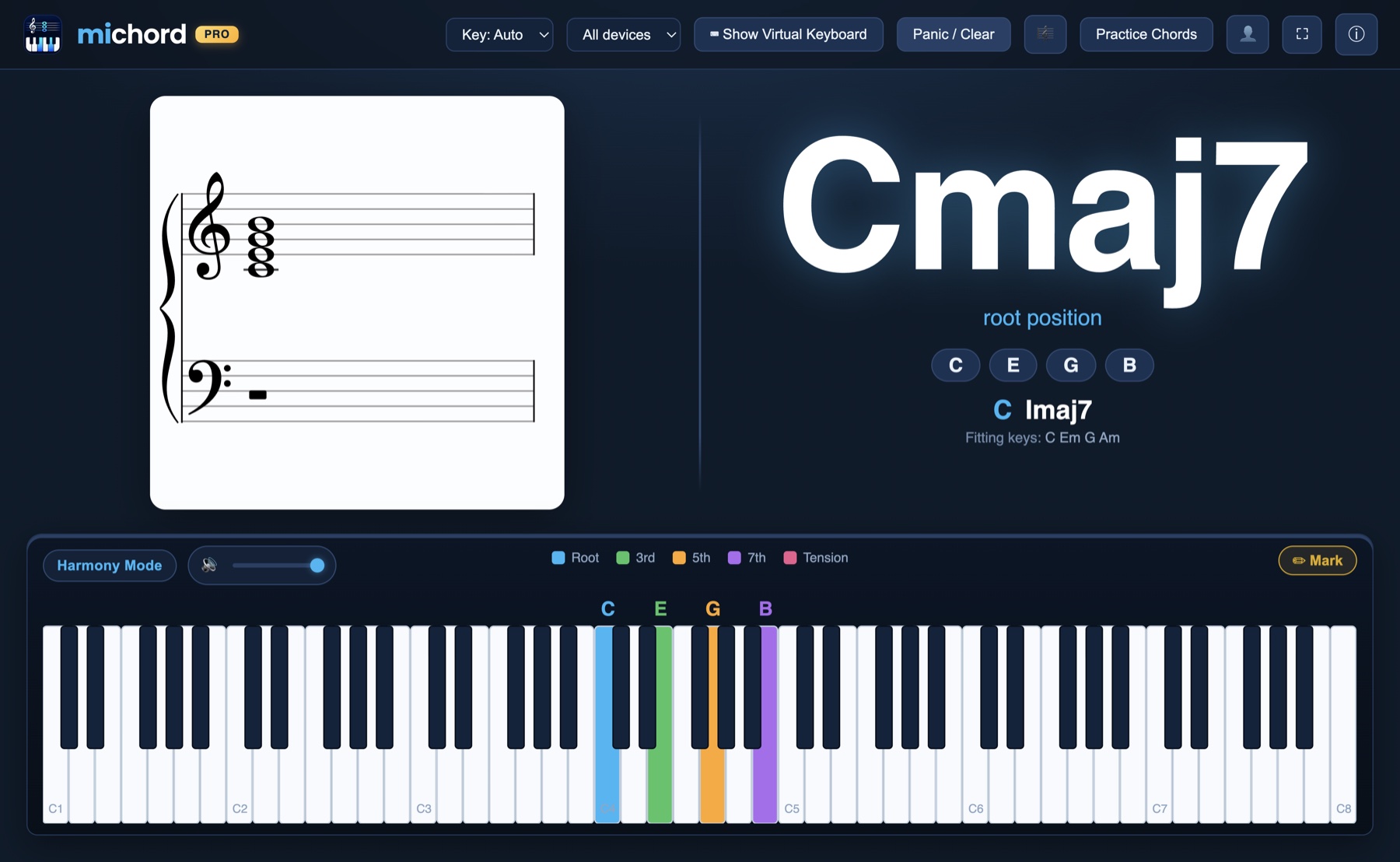
How do you prepare for a conservatory audition at home? The short answer: by practising each tested skill separately, every day, with feedback. The hard part of ear training alone is not a lack of knowledge but a lack of verification — if you cannot tell whether the note you sang was right, repetition only cements the mistake.
In this article:
- What music school auditions actually test, and which part eliminates the most candidates
- How to practise ear training, intervals, sight-singing and harmony on your own
- A sample weekly practice schedule
- Where this sits next to the cost of private lessons
What does a music school audition test?
Names and weightings differ between conservatories, music high schools and music education programmes, but the tested skills fall under much the same headings:
- Aural skills. Singing back a played note, hearing single notes and chords, repeating a melody.
- Intervals. Naming an interval by ear; building and identifying intervals on paper.
- Rhythm. Clapping back a given rhythm, reading rhythm at sight.
- Sight-singing and notation. Singing from the staff, knowing clefs and accidentals.
- Theory. Keys, scales, chords and their functions; harmony at the level the institution expects.
- Instrument. Performing the prepared repertoire.
Instrumental work already runs with a teacher, and most candidates pour the bulk of their energy into it. The common reason for falling short is usually not the instrument but the aural and theory side: a strong player can still land below the cut-off because they could not sing back a note or name an interval.
The reason is simple. You practise your instrument every day; you practise your ear only during the lesson, with the teacher in front of you. One hour a week is not enough to bring a skill up to audition standard.
The real problem with practising alone
Everyone who tries ear training at home hits the same wall: how do you know you got it right?
You play a note and sing it. It sounds right to you. But did you actually sing that note, or a semitone below it? Sing along with the piano and you cannot hear your own voice; mute the piano and you lose the reference. Telling the difference is precisely the skill you are trying to acquire — so you cannot use it to check yourself.
The outcome is predictable: the candidate practises for hours and reinforces the wrong notes along with the right ones. On lesson day the teacher catches the error and corrects it, and the following six days repeat the same loop.
The fix is not more practice but feedback on every attempt. That is exactly what Michord adds: the verification your teacher gives once a week, available every moment you practise.
Ear training: measuring the note you sing
Michord's Ear Training section plays a note, you sing it back, and the microphone measures which note you sang. Correct turns the card green, wrong turns it red — and a wrong card also tells you which note was expected.
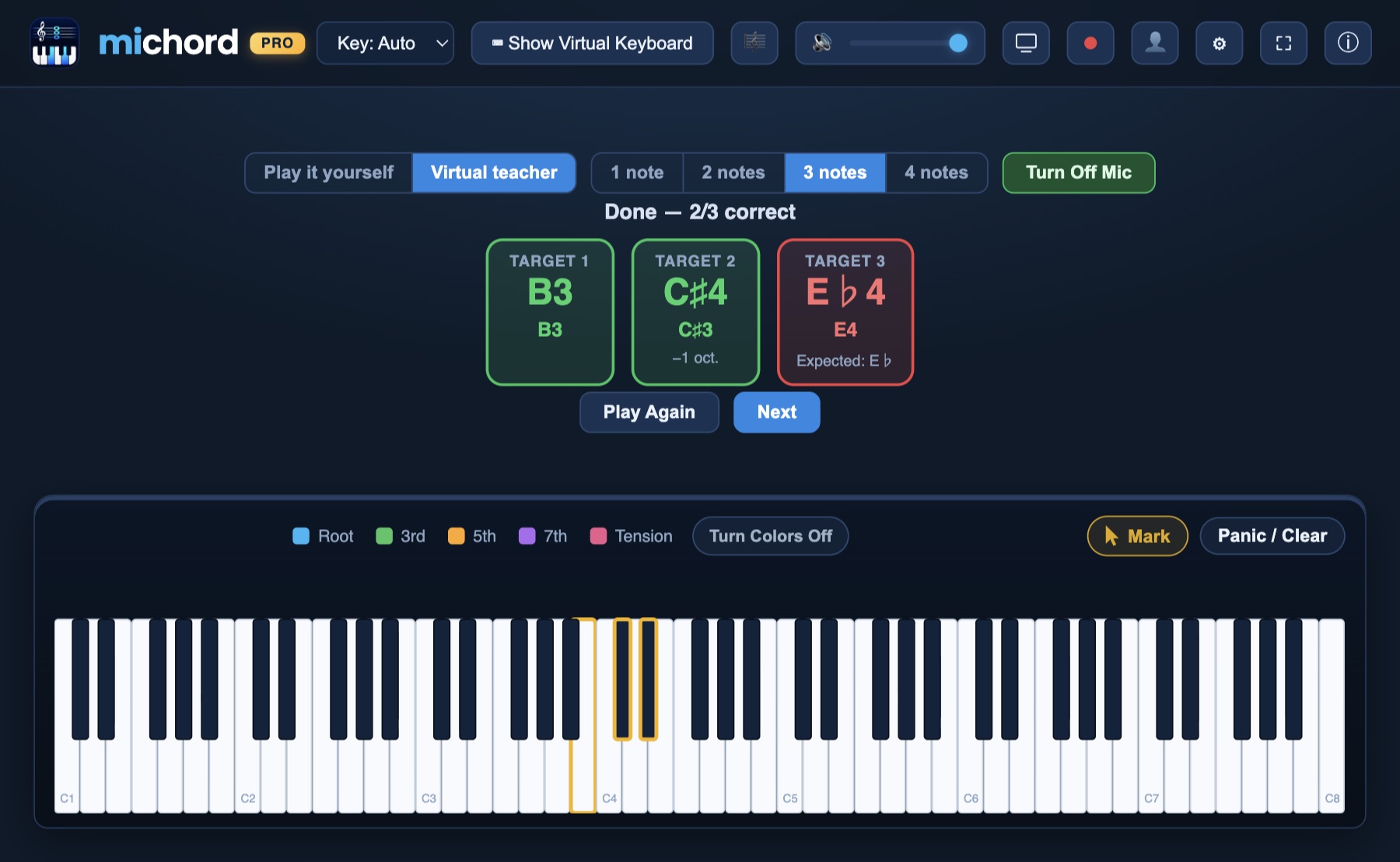
A few details bring the practice closer to audition conditions:
- How many notes? A round can be set to 1, 2, 3 or 4 notes. Starting with a single note and moving to consecutive ones is the natural path towards the melodic repetition an audition asks for.
- Who plays? In Virtual teacher mode the app picks the notes, which removes the comfort of choosing your own. In Play it yourself mode the note you press becomes the target — useful when you want to drill one specific area.
- Any octave. Sing in your own range. An octave lower still counts as correct; the difference is noted on the card. A low-voiced candidate can sing a high note down where it is comfortable.
- Play again. When you are unsure, you can replay the note.
Use headphones. If the piano coming out of your speakers leaks into the microphone, the measurement suffers. A Bluetooth microphone also shifts pitch, so your computer's built-in microphone gives a more reliable result — the app warns you when it detects a Bluetooth input.
Intervals: the section that eliminates most candidates
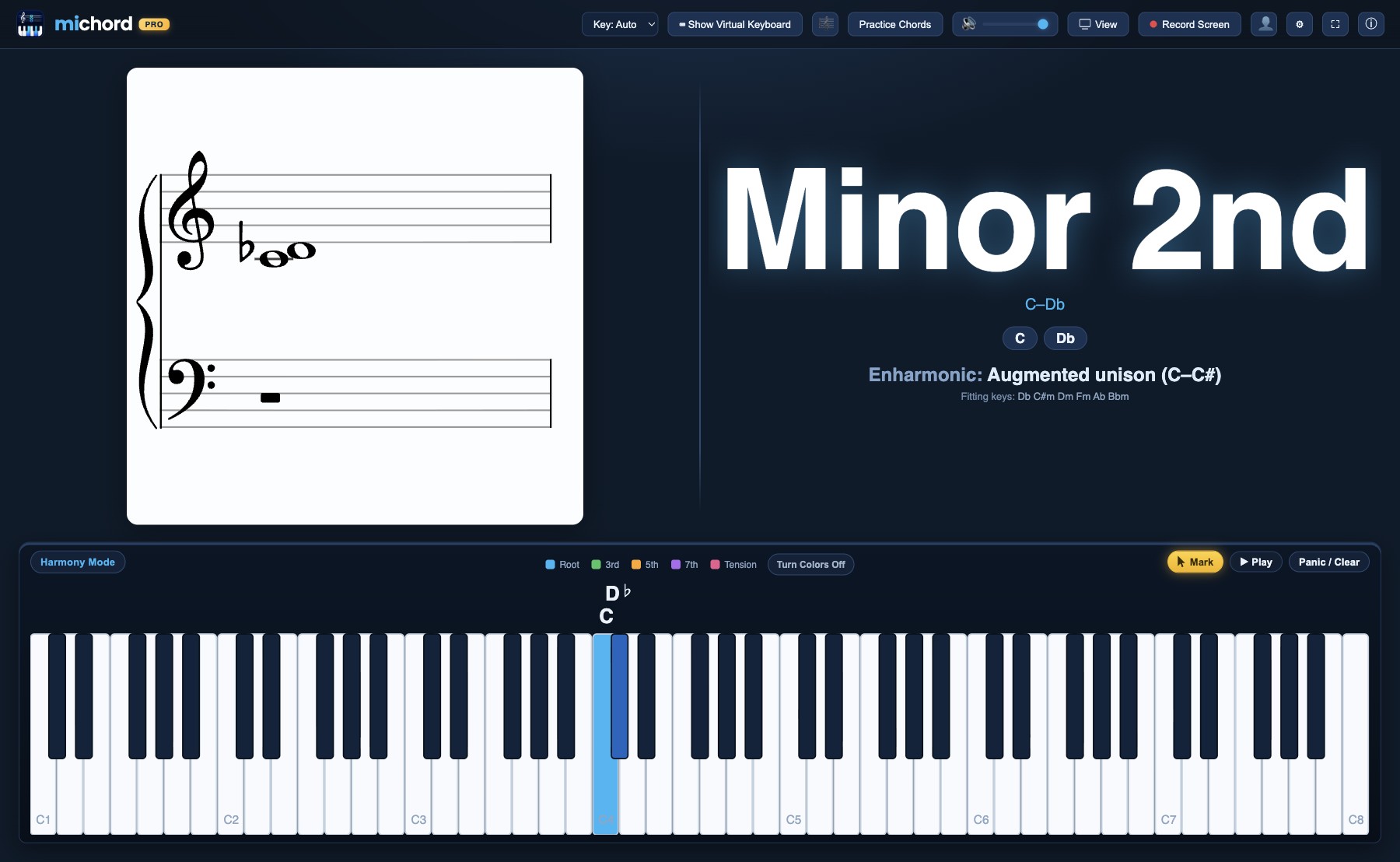
What makes interval questions hard is that an interval is defined by spelling, not by semitone count. The distance from C to the black key above it is one semitone; that interval can be written as a minor 2nd (C–D♭) or as an augmented unison (C–C♯). Identical in the ear, different on paper — and the exam asks on paper.
When you play two notes, Michord names the interval with that distinction in mind and shows the enharmonic reading directly underneath. The staff, the piano and the chord panel always use the same spelling, so the question "how is what I just heard written down?" gets answered on every attempt.
To go deeper on this, the guide to identifying piano chords applies the same logic to chords.
Sight-singing and reading notation
Reading music is the habit of matching a sound to a symbol on the staff. That habit forms fastest when you see both at the same time.
Connect a MIDI keyboard or play the on-screen piano and the notes appear live on the grand staff — correct clef, correct accidentals, correct enharmonic spelling. Seeing how what you play is written is the reverse direction of reading and singing from the page, and the two reinforce each other.
You can start without a keyboard: the on-screen piano and your computer keyboard are both in the free plan. For more, see the guide to writing notation from a MIDI keyboard.
Harmony and music theory
The theory section of a conservatory audition measures whether you understand a chord's function in the key far more than whether you have memorised chord shapes. Michord does not just name the chord you play — it writes its function as a Roman numeral: is this chord tonic, dominant or subdominant?
On top of that come the advanced topics auditions often reach for:
- Secondary dominants and borrowed chords — where a chord from outside the key came from.
- Cadence detection — where and how the phrase closes.
- Modulation alerts — a notice when the key changes, together with the pivot chord.
- Voice-leading checks — parallel 5ths and octaves flagged in Harmony Mode. For a candidate writing harmony exercises, that is direct exam practice.
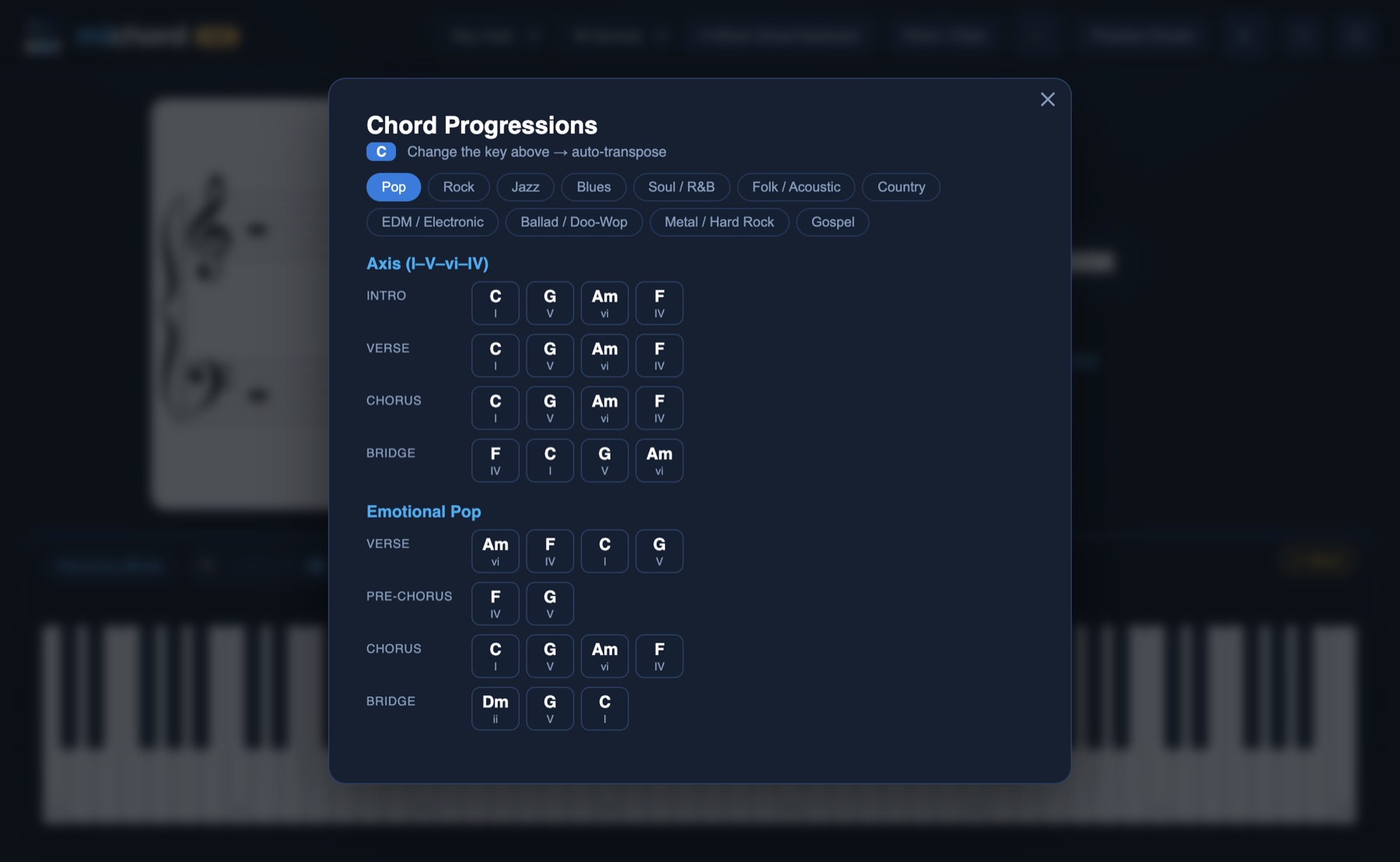
For the theory behind it, the functional harmony article and the music theory learning guide pick up where this leaves off.
Chord training
In chord training the app names a chord and you play it. Correct answers get instant feedback; you can switch between easy and hard levels and ask for a hint when you are stuck.
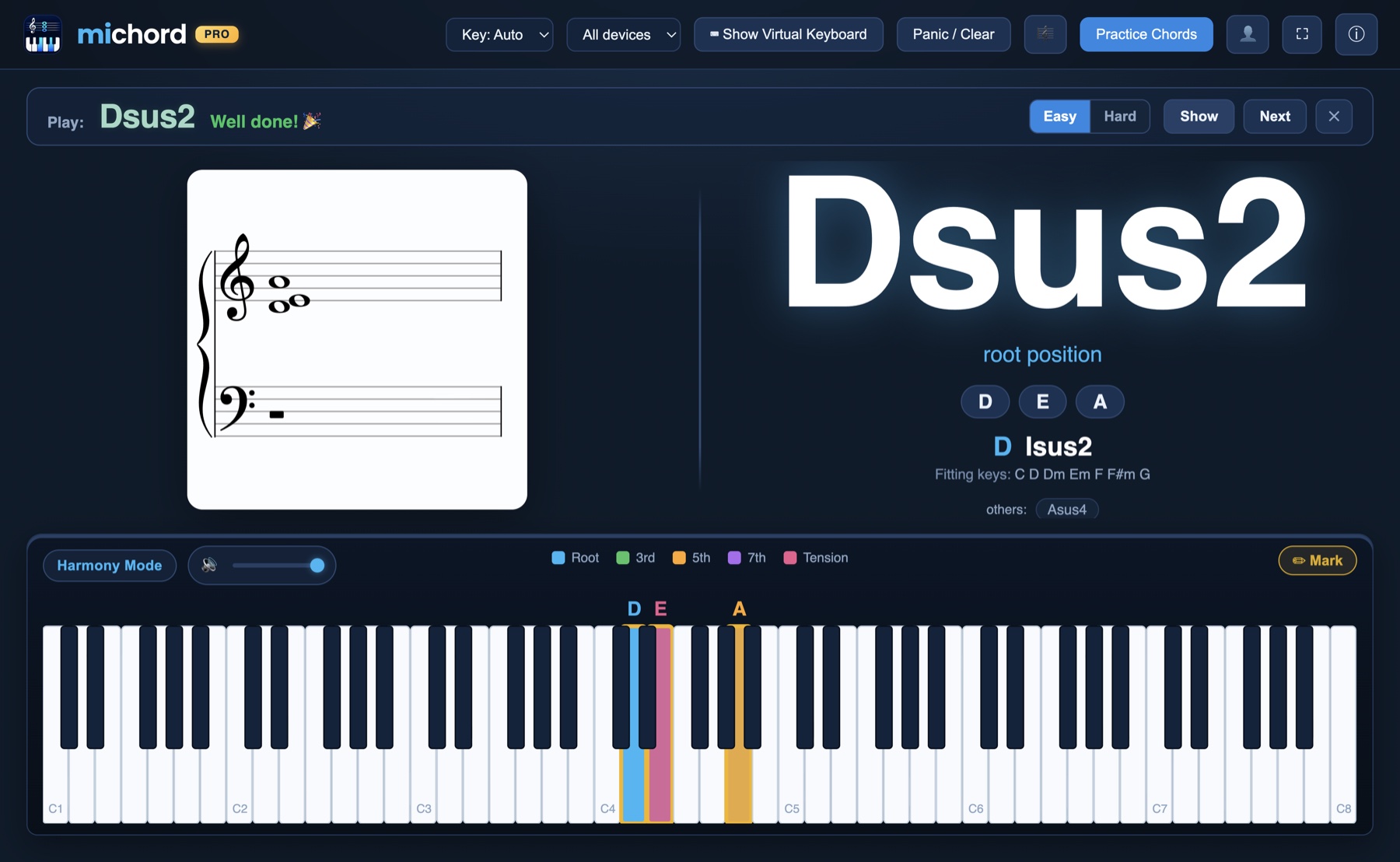
Same logic as ear training: one target, one attempt, immediate verification. In the final weeks before an audition it is the fastest way to raise chord-building speed.
Record your practice, send it to your teacher
Screen recording with audio turns out to be unexpectedly useful during preparation. You can record a passage you have been working on, sound included, into a single MP4 and send it to your teacher — without waiting for lesson day.
It works the other way round too: a teacher who records an explanation once and leaves it with the student stops having to repeat it every lesson. Screen recording with audio (MP4) is part of the subscription; the Michord user guide lists what each plan includes.
Cost: where does this sit next to private lessons?
Most of the money in audition preparation goes to private lessons, and it buys something real — you need a teacher for technique, repertoire and mock auditions. The question here is not "lessons or an app", but how much it costs to fill the days in between.
| One private lesson a week | Michord | |
|---|---|---|
| Price | per hour, varies by city and teacher | 2.99 USD / month · 22.99 USD / year |
| Hours per year | roughly 48 lesson hours | no limit |
| When feedback arrives | during the lesson | on every attempt, instantly |
| Aural verification | the teacher listens | the microphone measures — green or red |
| Technique and repertoire | ✔ its main job | ✘ not covered |
| Mock auditions and encouragement | ✔ | ✘ |
The yearly plan works out at 1.92 USD a month — roughly less than a single private lesson hour for a full year of use. To run the comparison with your own numbers, put one lesson hour's fee next to the yearly subscription, then ask how many hours of practice that money turns into verified practice.
The goal is not to replace the lesson but to make it more productive: if a candidate arrives having practised with verification for six days, that hour is spent moving forward rather than undoing mistakes.
You do not need to pay to start, either. The free plan includes playing with a MIDI keyboard, the on-screen piano and your computer keyboard, a real grand piano sound, and the note names of the keys you press. Ear training, live notation, chord symbols and functional analysis are unlocked with a subscription.
A sample weekly schedule
Thirty minutes a day, five days a week — on top of instrumental practice:
| Day | Focus | What to do |
|---|---|---|
| Monday | Ear — single notes | Virtual teacher, 1 note. 20 rounds. Target: 80% correct. |
| Tuesday | Intervals | Play two notes, name the interval yourself, then compare with the screen. Watch the enharmonic spellings. |
| Wednesday | Ear — several notes | Virtual teacher, 3 notes. Holding consecutive pitches in memory and singing them back. |
| Thursday | Sight-singing | Read and sing a melody from the page, then play the same melody and check its notation on screen. |
| Friday | Theory | Chord training plus functional analysis: guess the Roman numeral of the chord you played, then look. |
| Weekend | Measure | Do ten three-note rounds and write down your score. Compare week to week. |
That last row matters most. Progress in ear training is slow and hard to notice; writing down a weekly score makes it visible, and that is the most realistic way to keep going.
What Michord does not do
To be straightforward, a few things:
- It does not measure rhythm. The rhythm section of an audition needs separate work.
- It does not touch instrumental technique. Posture, fingering and tone are a teacher's territory.
- It does not choose repertoire. Which piece you audition with depends on the institution and on you; that is a teacher's call.
- It does not run mock auditions. Only real rehearsal prepares you for playing in front of a panel.
- It does not judge the quality of your voice. What it measures is pitch: which note you sang.
So the split is this: technique and repertoire belong to your teacher, the daily aural and theory repetition belongs to the app.
Conclusion
In music school auditions the instrument is usually ready; what falls short is the aural and theory side that only gets an hour a week. That side can be practised at home — but only with a setup where every attempt is verified.
In short:
- Ear training is measured by microphone: green when the note you sang is right, red with the expected note when it is wrong.
- Any octave works — sing in your own range.
- Intervals, sight-singing and harmony all get answered on the same screen, as you play.
- Cost is 22.99 USD a year — roughly less than a single private lesson hour.
- It does not replace your teacher; it fills the days between lessons.
If you are not sure where to start, the music theory learning guide lays out a roadmap, and the Michord user guide walks through the app step by step. For everything else, see the Michord blog.
Train your ear every day and see straight away whether you sang it right.
Download MichordFAQ
Can Michord replace a private teacher?
No. Technique, posture, repertoire choice and mock auditions are a teacher's job. Michord fills the days between lessons: it gives you the kind of verification your teacher provides once a week, on every attempt you make.
What do I need for ear training?
Your computer's microphone is enough. Michord plays a note, you sing it back, and the microphone measures which note you sang. Headphones give the most accurate result, because the piano coming out of your speakers can leak into the microphone. A Bluetooth microphone distorts pitch, so the built-in one is the better choice.
My voice is low and I cannot reach the octave. Does that count as wrong?
No. You can sing in your own range; singing an octave lower or higher still counts as correct. The card turns green and the octave difference is noted underneath.
Do I need a MIDI keyboard?
No. You can play the on-screen piano with your mouse or your computer keyboard; all three input methods are included in the free plan. A MIDI keyboard speeds things up if you have one, but you do not need it to start.
What is included in the free plan?
Playing with a MIDI keyboard, the on-screen piano and your computer keyboard, a real grand piano sound and the note names of the keys you press are all included free. Ear training, live grand-staff notation, chord symbols and functional analysis are unlocked with a subscription.
How much does the subscription cost?
2.99 USD per month or 22.99 USD per year. The yearly plan works out at 1.92 USD a month. You can cancel at any time.
Which version introduced ear training?
It arrived in Michord 1.2.10. If you are running an older version you need to update the app.